
Here is the step by step guide for the top 7 video editing apps that you should not miss learning and will help you to create creative videos as per your needs.
Are you looking for the best short video editing apps to learn?
Here is the complete guide of the top 7 video editing apps that can help you with all your short video editing needs. This is on the basis of my past experience, so that I can help you with more information and complete step-by-step guidance.
No need to worry; I have covered all kinds of free and paid video editing apps. If you are wondering about the difference between these video editing apps, then this guide will clearly make your wonders vanish. You will get to know everything as you go down in the blog. If you want to attract more and more audience, then the best and easiest way is by creating short videos, as you know that short videos allow you the limited screen time due to which the audience is more into short videos because they can encounter the most knowledgeable content in limited time. So, here you will get the best secret weapon to gain a loyal audience with top 7 video editing apps.
Now let’s begin your learning journey.
Don’t miss the end where I have shared my brief research on how to create perfect short videos using these video editing apps so that you can get more traffic and make your videos go viral.
Easy To Use Video Editing Apps
Wondershare Filmora
This video editing app is useful for creating short-form videos for social media platforms or for personal use. It is Wondershare Filmora is a very popular video editing app which is available for desktop and mobile. easy to use and enough for most editing needs. So, now let’s begin the step-by-step guide.
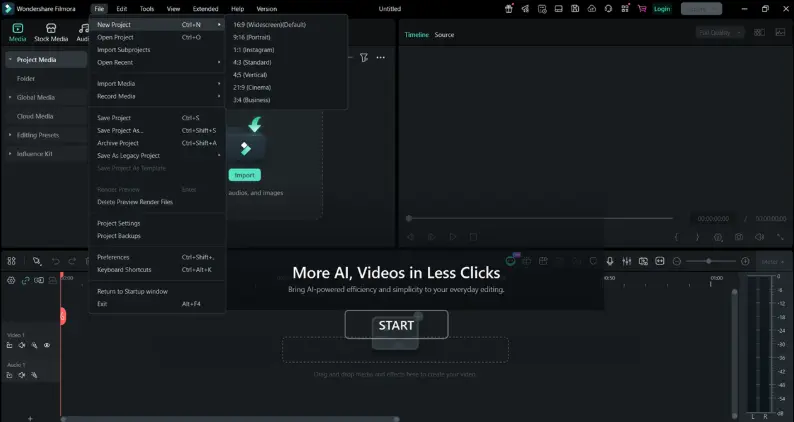
Step 1: Run The App
- Open the app
- Tap on “New project”
- Allow access to photos, videos and audio
Step 2: Import Media
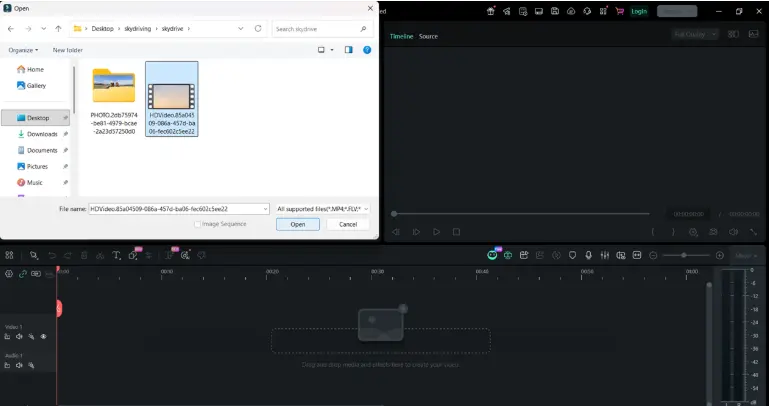
- Select your video
- Tap import
- Files will appear on the timeline
Step 3: Trim And Split Video
- Tap trim to cut unwanted part of the video
- Use split to divide the clip into parts
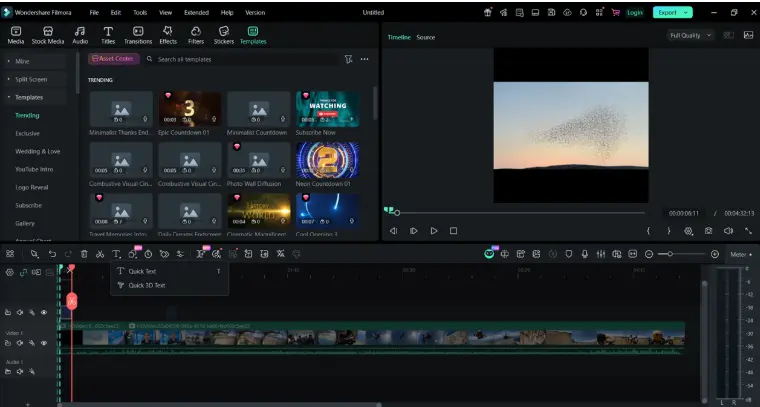
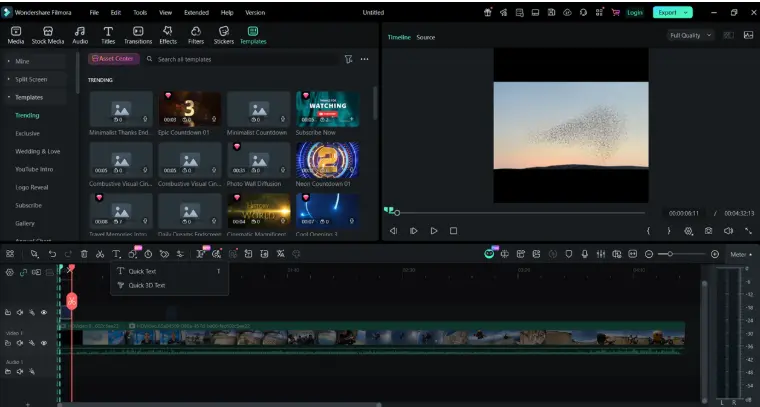
Step 4: Add Any Text And Title :
- Tap text
- Choose title style
- Edit front,color and size
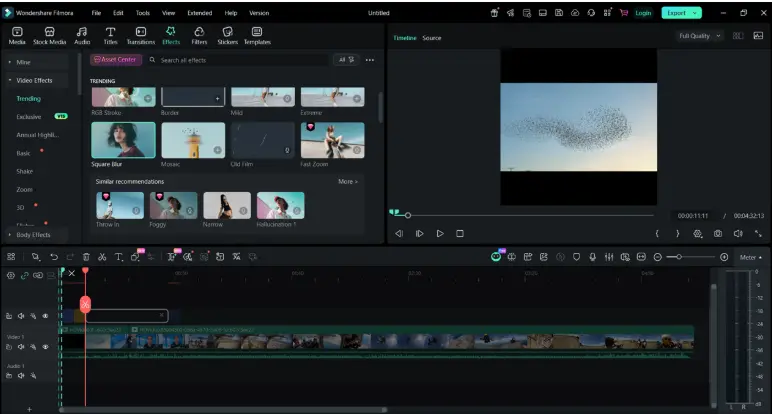
Step 5: Apply Filters And Effects :
- Tap effects
- Choose aesthetics effects
- Apply the effect according to your video style
Step 6: Adjust Video
- Use filter according to your video if needed
- Also you can change sleep (slow motion /fast)
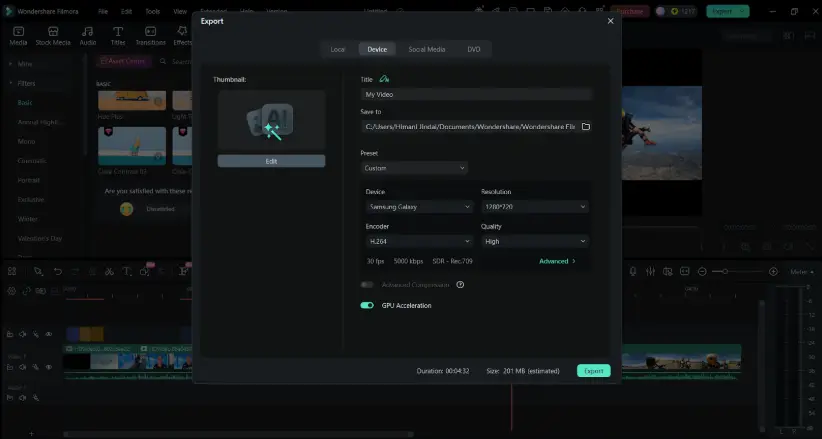
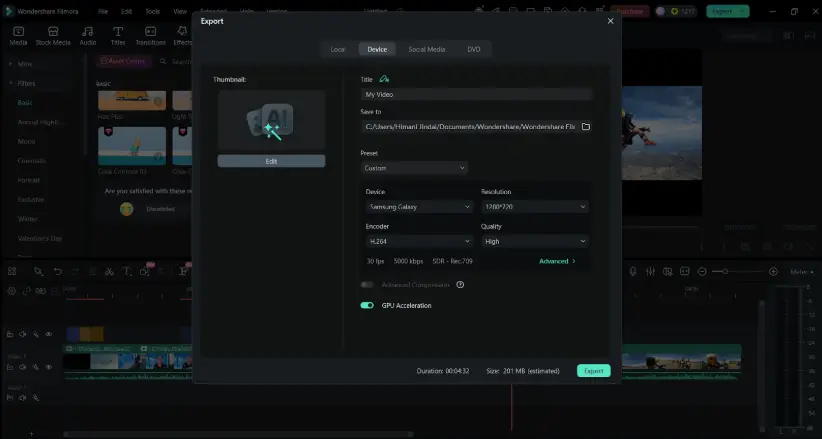
Step 7: Export Video :
- Tap export
- Choose resolution accordingly
- Save or share directly on social media (Instagram,youtube,facebook)
Reasons To Use This App
- Easy way to use their drag and drop service which makes it very easy for beginners to edit.
- You can use their free templates, effects, transitions which will help you to speed up your editing.
- This app takes less time to render your file as compared to others.
- Easy to import your common file, which many other apps have restrictions on.
Reasons To Avoid This App
- You cannot remove the watermark in the free version. If you want to remove them then you have to watch an advertisement, which i think is not an issue for beginners.
- It may lack some of their advanced tools like audio and colour grading.
- This apps customer support is not that good, you can face problems regarding that
- If you want to render a high quality output then you must have a good level of hardware installed.
App Pricing
- It offers multiple kinds of pricing plans depending on what features you need and what payment gateway you want to choose.
- Free trial version offers you to do basic editing and render your file with watermark (until n unless you don’t watch any ads).
Available For
- Windows Pc
- MACos Mac Computers
- Android & IOS
Click And Download
- For Desktop
- For Mobile (android & ios)
Rating
- Android – 4.8/5
- Desktop – 4.7/5
- IOS – 4.8/5
Inshot
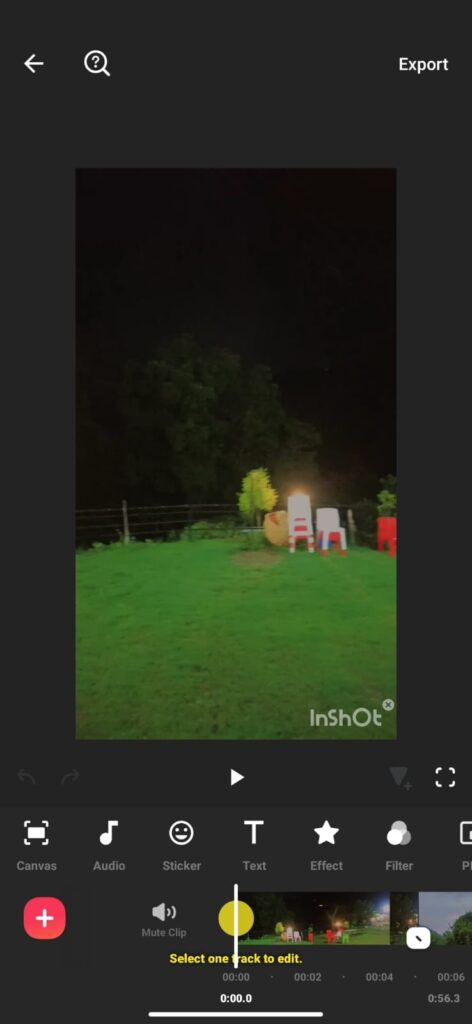
Inshot is a very popular app specially designed to edit videos directly from the phone which will be best for your social media. It has an easy video editing interface as compared with other video editing apps for the beginners or for the people who are willing to learn video editing from scratch. You can easily cut,trim, split the clips in seconds and you also play with the speed of the clips. Let’s continue with the steps.
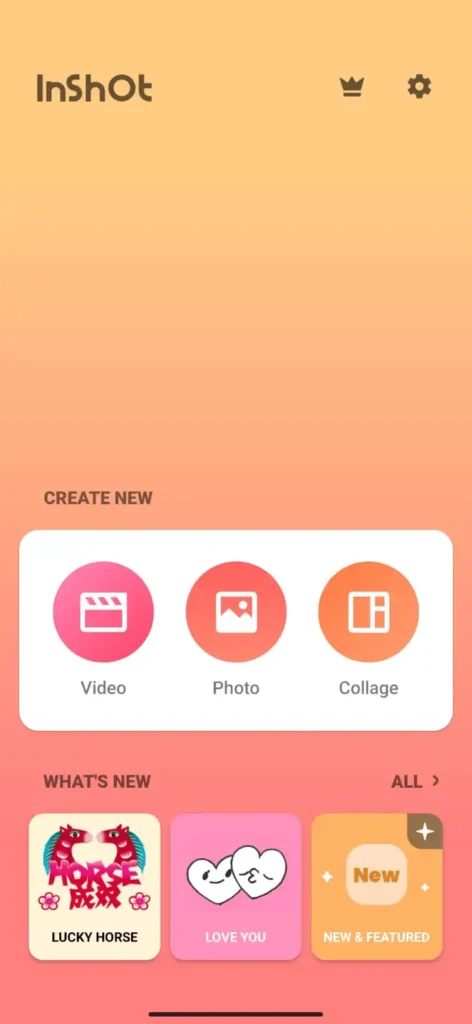
Step 1: Open The App
- Open the app
- Tap on “Create New”
- Allow access to photos,videos and audio
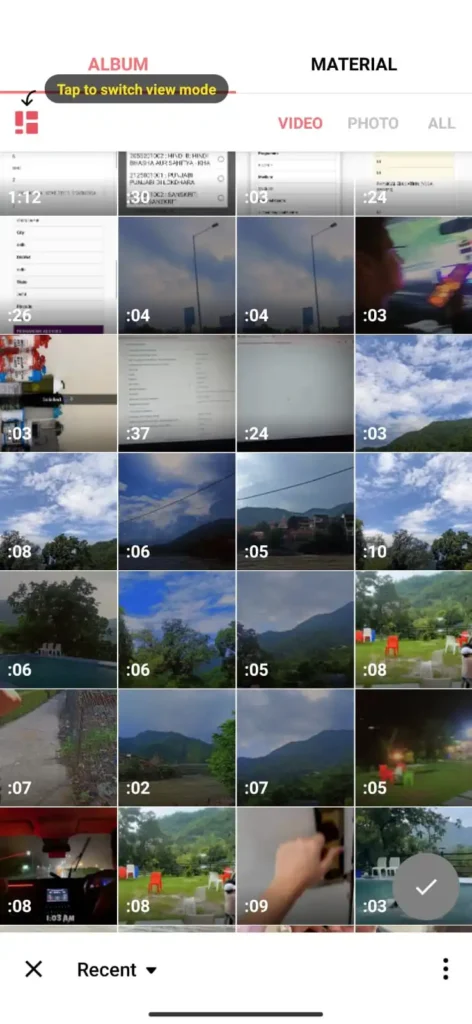
Step 2: Import Your Clips
- Select your video
- Tap import
- File will automatically appear on the timeline
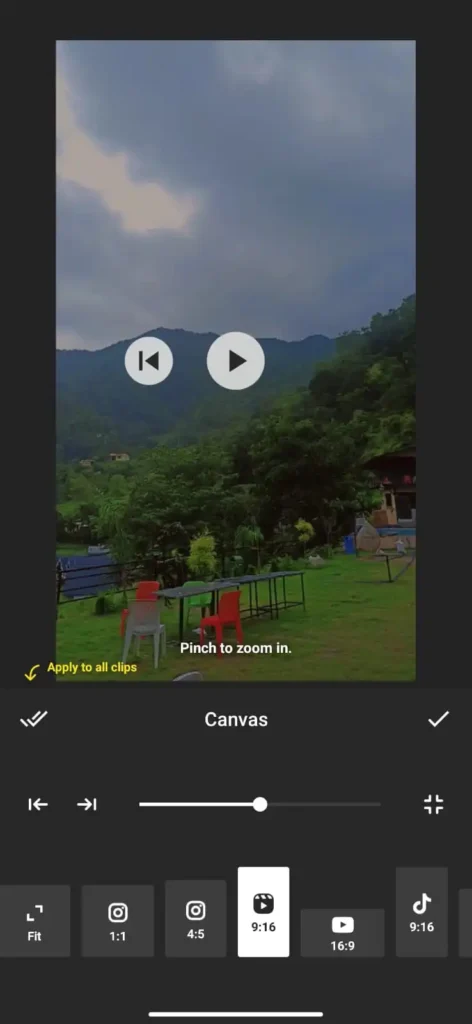
Step 3: Select Frame Size
- Select the preferable size or frame size
Step 4: Trim And Cut Clips
- Select on a clip
- Drag edges to trim
- Use split to cut the video into parts
- Delete unwanted clips
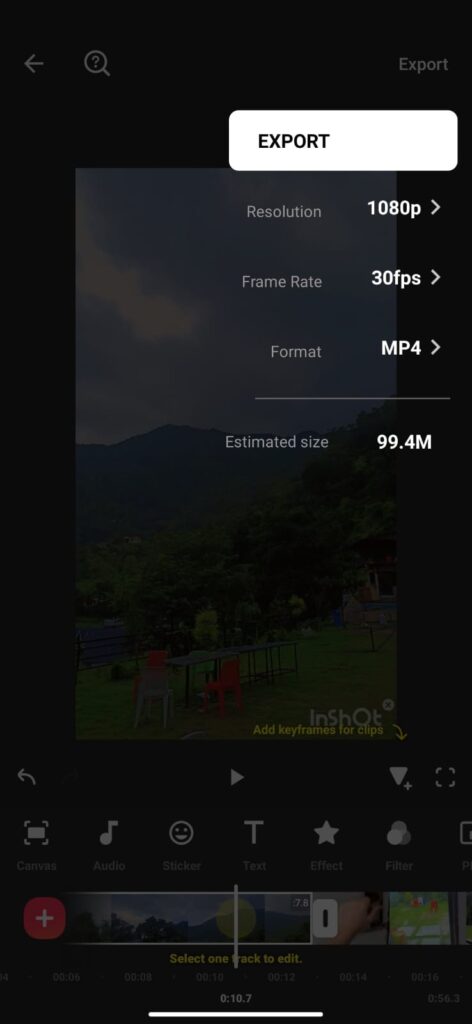
Final Step 8: Export Video
- Tap export
- Choose preferable resolution
- Choose FPS
- Choose Format
Reasons To Use This App
- This app has a very simple and easy to find interface.
- Offers you smart AI assisted features like auto captions and background removal in latest versions.
- Supports high resolution (4K) render files.
- No need for any high performance devices.
Reasons To Avoid This App
- It may lag or can work slower on the mobile versions.
- Has no desktop version only compatible for mobiles.
- Need to buy their subscription plan if you want to watermark from your final file.
App Pricing
- Inshot Pro – $3.99 (monthly) approx.
- Inshot Pro – $17.99 (yearly) approx.
Available For
- Android
- IOS
Click And Download
Rating
- Android – 4.8/5
- IOS – 4.9/5
Canva
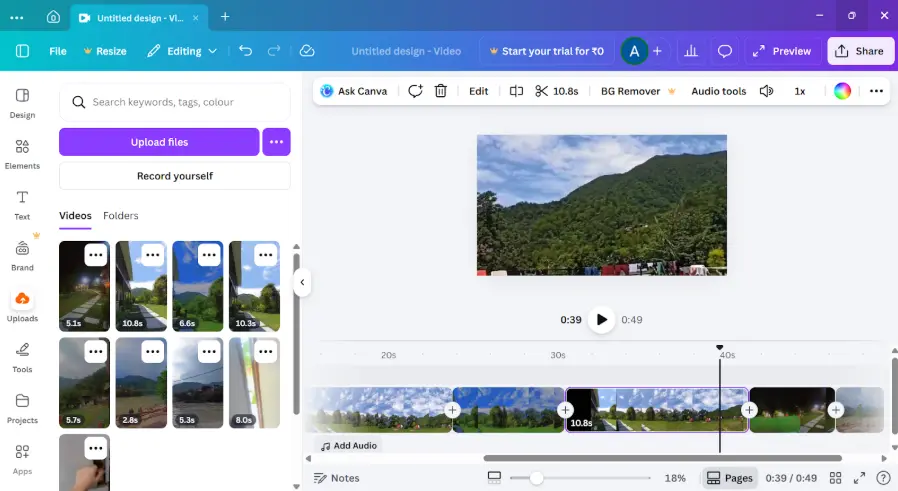
Canva is a versatile, cloud-based graphics design platform that enables individuals and businesses to create high quality content. It offers an exclusive library of professionally designed templates for presentations, social media posts, posters, resumes, videos, marketing materials and documents. Canva allows users to customize designs effortlessly by adding text, images, icons, charts, animations and brand elements. It is simpler to use compared to most video editing apps, with only minor differences in features like Canva focuses on easy, template-based design and basic video editing, while other apps offer more advanced and detailed video editing apps features then others.
Reasons To Use This App
- Huge amount of easy to edit templates.
- Designed with the AI integrated tools which can help you with your creative video editing.
- You can collaborate with your teammates and can do work on the same project.
- Integrated sizes for the social media platform.
Reasons To Avoid This App
- It may lag or can work slower on the mobile versions.
- You will find very similar templates which may be used widely.
- Difficult to search uploaded images on canva by their filename.
App Pricing
- Canva Pro – $12.99 (monthly) approx.
- Canva Pro – $119.99 (yearly) approx.
- Canva Pro For Team – $14.99 (monthly) approx.
- Canva Pro For Team – $149.99 (yearly) approx.
Available For
- Windows Pc (Use this for full features)
- Android
- IOS
Click And Download
Rating
- Android – 4.7/5
- IOS – 4.8/5
Free Video Editing Apps
l
VN Video Editor
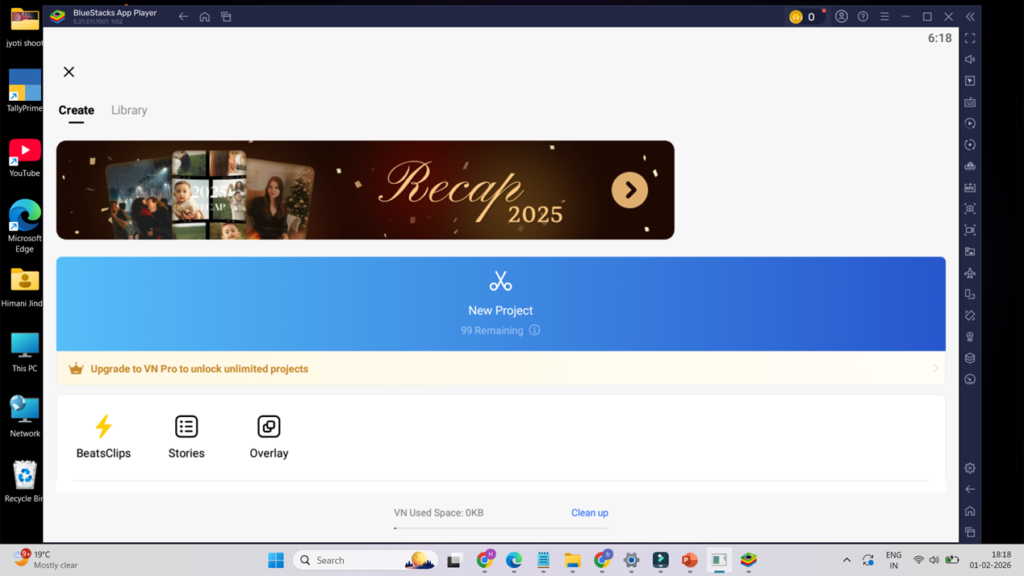
VN Video Editing app is a free and professional video editing app as compared with other video editing apps which is specially designed for beginners to edit on their phones. This app allows users to easily trim,cut ,split and merge video with frame-by-frame precious. VN also supports multiple video layers,advanced transition effects,filters,speed control and keyframe animations.Users can add text ,subtitle,music,sound effects, and voice-overs effortlessly.
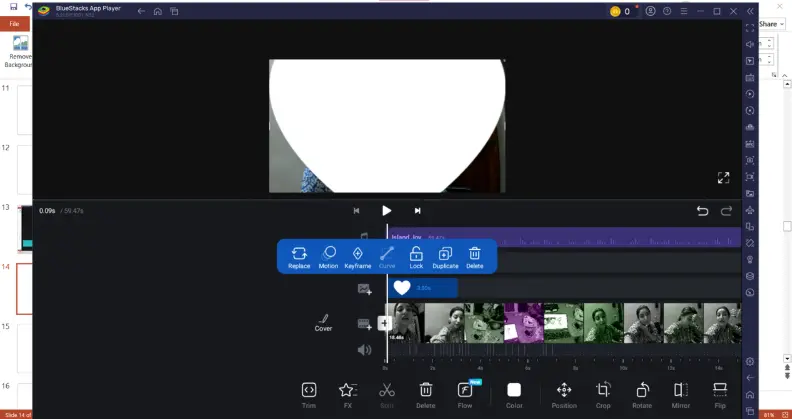
Step 1: Create New Project
- Tap on “+new project”
- Allow access to photos ,videos
Step 2: Import Media
- Select your video
- Tap next
- Media will appear on the timeline
Step 3: Trim And Cut Clips
- Tap on a clip
- Drag edges to trim
- Use split to cut the video into parts
- Delete unwanted clips
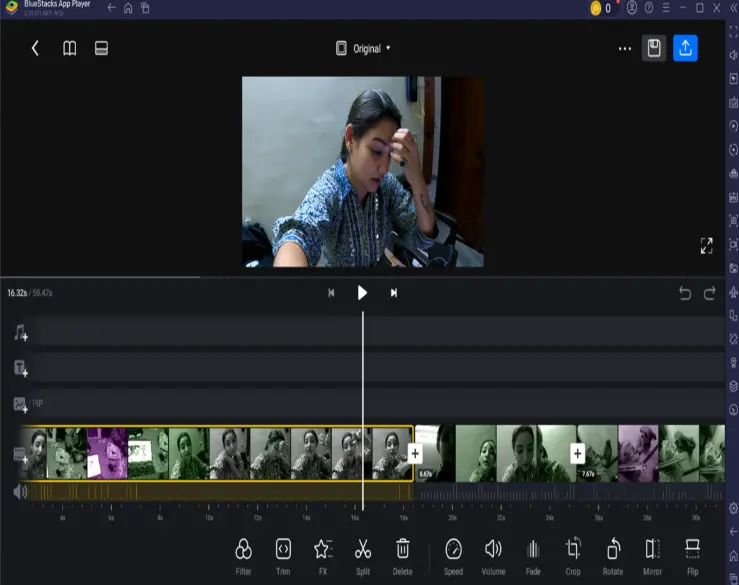
Step 4: Arrange The Clips
- Zoom in /out on the timeline for accuracy
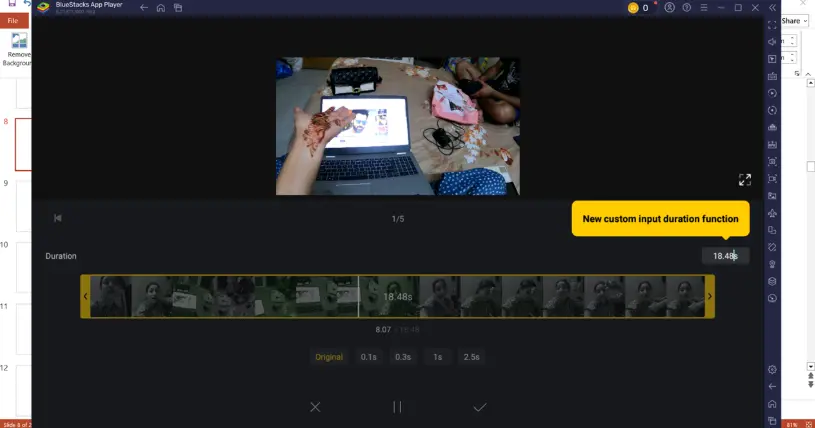
Step 5: Add Music/Audio
- Tap music
- Add background music or voice-over
- Adjust volume and timing
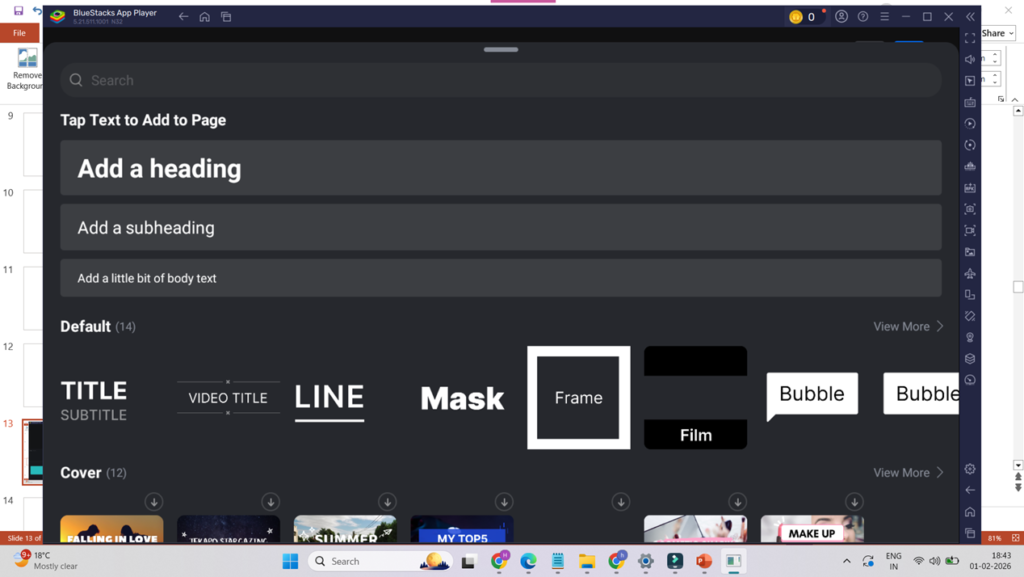
Step 6: Add Text And Title
- Choose text style
- Adjust font,size,color and animation
Step 7: Adjust Video Editing
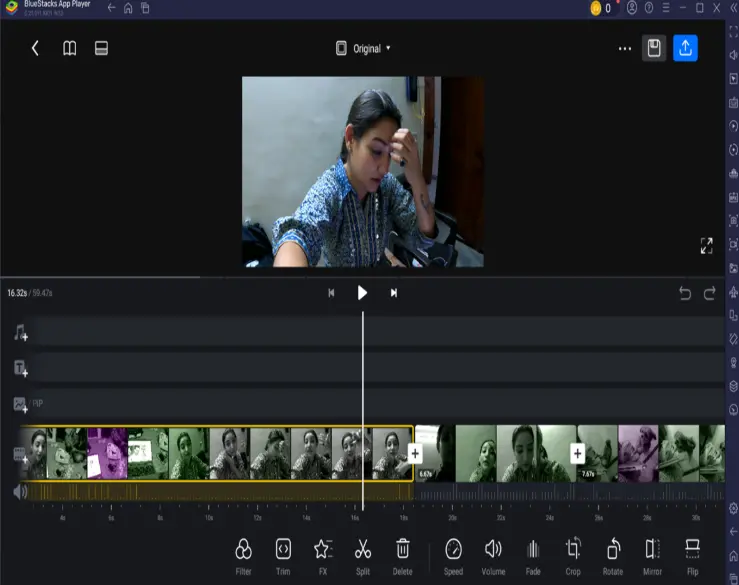
- Use speed (slow/fast)
- Adjust brightness,contrast etc
- Add keyframes for smooth effect
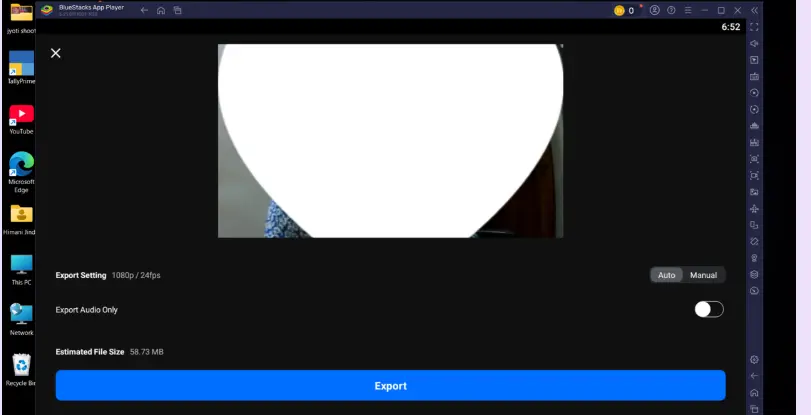
Final Step 8: Export Video
- Tap export
- Choose resolution
- Choose FPS
- Save video to gallery
Reasons To Use This App
- The main core features of this app is that you can export videos without any watermarks.
- Easy to use their professional grade tools which will help you to enhance your video.
- In this app you can easily render your videos upto 4k resolution at 60fps.
- This app offers you the most professional editing tools in their free version as well.
Reasons To Avoid This App
- Limited quantity of templates, transitions and music as we compared with other apps.
- Lack of advanced audio tools like noise reduction.
- In older versions you will face lag while uploading heavy files.
- In this app you will again face problems with their customer support in case of any need.
App Pricing
- VN Pro – $9.99 (monthly) approx.
- Vn Pro – $69.99 (yearly) approx.
Available For
- Windows Pc
- MACos Mac Computers
- Android & IOS
Click And Download
Rating
- Android – 4.7/5
- IOS – 4.8/5
CapCut
Capcut is a modern video editing app that focuses on making creative videos and helps you to edit fast and effortlessly. It is especially popular among short-term-form content creators who create video for reels and shorts.The app combines simplicity with smart editing features, allowing users to turn raw clips into polished videos in minutes.
Capcut offers tools like timeline editing, styling text animations, smooth transitions, visual effects and a built-in music library. It has AI-based application features, like auto captions and smart effects that helps creators save time while maintaining quality. In other video editing apps this feature may vary.
This app is available on mobile and desktop platforms ,capcut is ideal for creators who want to stay in trends and grow their audience with minimal efforts.
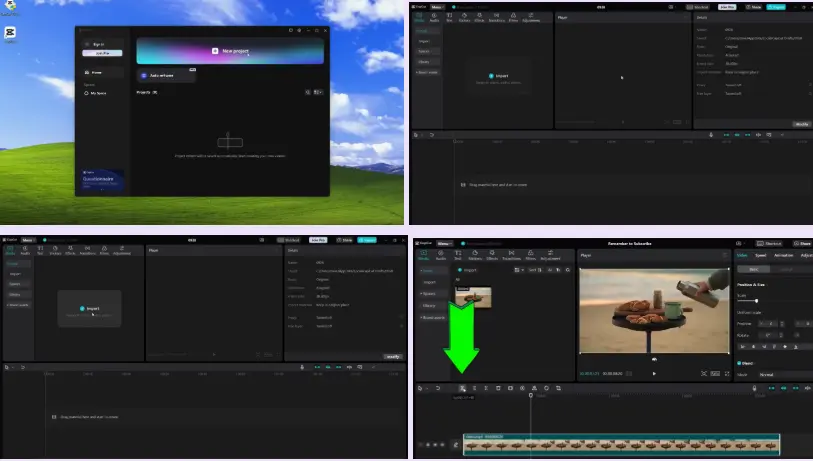
Capcut also has similar steps to create a video as other video editing apps offer with some minor changes that you can find easily. So, sharing the images down to make it more easy to understand.
Reasons To Use This App
- The main core features of this app as well is that you can export videos without any watermarks.
- You can also do multi track timeline work, keyframes, filters and many more.
- In this app you can easily render your videos upto 4k resolution at 60fps.
- No need for any subscriptions for many of the advanced features.
Reasons To Avoid This App
- Lesser templates to edit on or transitions as compared with other apps.
- Integrated audio tools are on the basic side instead of advanced audio editing.
- You will face lag while working with multi layers projects..
- In this app you will again face problems with their customer support in case of any need.
App Pricing
- Cap cut Pro – $9.99 (monthly) approx.
- Cap cut Pro – $89.99 (yearly) approx.
Available For
- Windows Pc
- Android
- IOS
Click And Download
Rating
- Desktop – 4.8/5
- Android – 4.6/5
- IOS – 4.6/5
Google Videos Editor
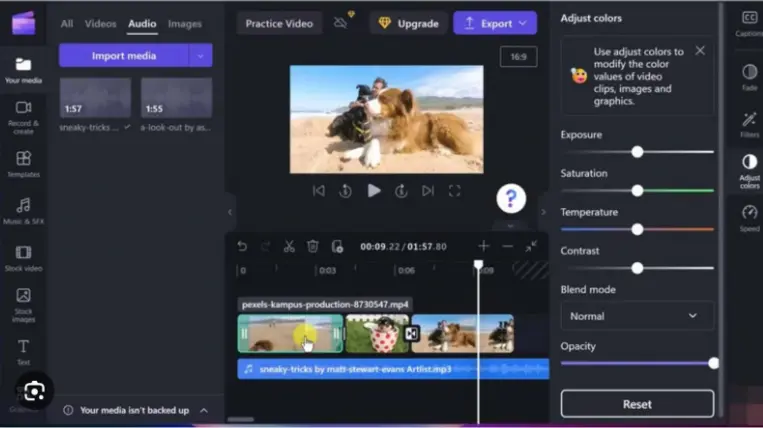
Google video editor is also known as google vids which is getting popular among the other video editing apps and basically an AI tool that is designed for fast and creative video creation by using gemini ai, you just need to import some raw video footage from your gallery and with some self efforts it will turns into a good quality film and it also allows user to add their own content and create good polished videos. It also offers you the manual editing interface in case you don’t like ai generated video like other video editing apps may lack in this.
Reasons To Use This App
- Ai based editor help you edit videos without any extra efforts
- No need to download, your file will automatically get saved in the cloud space.
- Offers you the easy to edit templates and provide access to visuals and music.
Reasons To Avoid This App
- Most of the ai tools are only in the paid versions.
- It works far better on desktop rather than mobiles.
- Lack of color grading features which are mostly used by the professional.
App Pricing
- As you read that this is a cloud based video editing app, so there are no hidden subscription charges till 15gb.
Available For
- Windows Pc
- Android
Click And Download
- Built In editor (android)
Rating
- No official rating available
Professional Video Editing Apps
Adobe Premiere
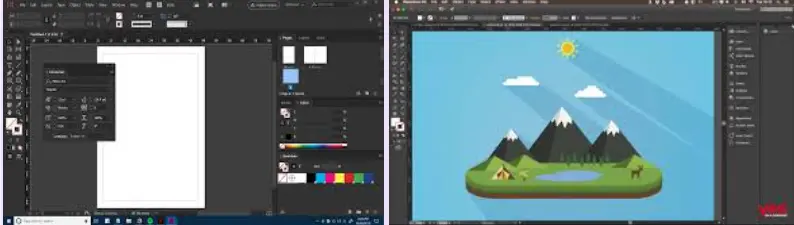
Adobe video editing app is way more complicated than other editing tools. It is basically designed for professionals and color graders. You will find it quite difficult to operate as compared to other video editing apps, for this you have to do professional courses which are easily available in the market. There are a lot more things which cannot be possible for me to provide you with a step by step guide in this blog. So I am sharing some basic footage to make you understand. If you want to pursue your career in this video editing field then you must take professional classes. There are more video editing apps designed under Adobe which may have different and specific uses.
Reasons To Use This App
- It is based on an industrial level in which all the videos are designed for cinematic quality that can be built for industrial use.
- They have multilevel timelines and very advanced transitions and audio tools..
- Specially designed for the professional editors.
Reasons To Avoid This App
- No free versions available.
- Need high end desktop and integrated graphic cards.
- Need to buy their paid subscriptions.
App Pricing
- Pro – $34.49 (monthly) approx.
- Pro – $236.88 (yearly) approx.
Available For
- Windows Pc
- MACos Mac Computers
Click And Download
- There are no free versions available, you have to download it from their official website.
Rating
- Desktop – 4.6/5
Trips and Tricks To Edit Best Short Videos
- Why should you focus on shorts videos?
1.Higher Reach:
Short videos are more likely to be watched by the audience, helping you to enhance your reach on platforms like Instagram, Youtube and Facebook.
2.Better Engagements:
Viewers get more engaged and show interest on likes, shares or comment on short videos.
3.Quick Follower Gaining:
Short videos help to achieve and attract new followers faster than long videos.
4. Higher Growing Chances:
7 to 30 seconds videos have a higher chance of getting viral as compared to others.
5.Easy to Create and Experiment:
Short videos require less editing time, allowing you to try different ideas and trends quickly.
- Difference between short videos and long videos.
| Compare | Short video | Long video |
| Time duration | 15 sec to 90 sec | 5 min to 60+ min |
| Platforms | Reels & Shorts | Youtube & Web |
| Goal | Reach & Gain Traffic | Education & Trust |
| Editing | Simple editing | Advance editing |
| Informative | Focused | Detailed |
- Go Viral
So the main points which you have to keep in mind is that the initial 2-3 seconds of the short video must contain the strong hook, which is compulsory because it will help the audience to stay connected and wont scroll down the video at initial stage. This thing will also help you to gain more traffic.
Video timmers:
7-15 secs – extreme high change of getting viral
15-30 secs – you will get good reach and genuine viewers or who will give value to your content
30-60 secs – you will get an audience who will see some good information or feel entertained.
For more amazing content kindly visit my public place.
Why Should You Read This Full Blog?
You should read this entire blog because we have covered all kinds of video editing apps with free versions available and have no watermarks in their final output. As we have covered step by step guide you make you understand in detail. If you want to start or want to edit your clips then this blog will be very helpful for you. Many people face problems regarding the final output with watermarks, so we have covered everything in detail. As you can see we have also focused on their pros and cons which will help you get the best video editing apps as per your need. We have also attached the links, to lesser your effects. We have also covered your problems and targeted your needs, so that you don’t have to run from one blog to another.
My Practical Recommendation To You
If you want to speed up your video editing and want to make video editing apps run faster and you are a desktop user, then you may need to upgrade some of the technical tools like SSD, RAM and also your graphic card. As these upgrades will never disappoint you in future because this will remain an all time great investment. With this you can easily use the many desktop versions with no extra efforts and this will make you more confident and presentable with your content.
for more professional videos click shark mondo
At last I hope this will help you with the best video editing apps.